What it does
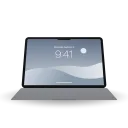
Close the lid and the desktop bends. Foldy reads the hinge angle from the Mac’s own sensor, captures the built-in display and draws it back as a sheet that tilts, curls, blurs toward the top and falls into shadow. Open the lid and the desktop clears with a soft click.
It is an open re-creation of Bendy, written from scratch in Swift with SwiftUI, Metal, ScreenCaptureKit and IOKit. No account, no licence key, no network code.
How it works
The lid angle comes from the HID sensor that every recent MacBook carries. Foldy registers for input reports and keeps a heartbeat poll that runs at 60 Hz while the lid moves and drops to 10 Hz once it settles. ScreenCaptureKit captures the display, excluding Foldy’s own windows, and each frame goes straight into a mipmapped Metal texture. A 64 by 64 grid tilts about the hinge and, with the Bend slider, curls like a page so the base stays put and only the top folds back. The fragment shader blurs by mip level toward the top edge, shades the corners and feathers the silhouette. Progress follows the lid on a smoothstep and then a per-frame lerp, so a jumpy sensor still gives a fluid fold.
Three styles ship: Silk, Shade and Frost, each with Perspective, Variable blur, Shadow, Bend and Frost on sliders. You set the angle where the desktop clears and the angle where the fold completes. On macOS 26 Tahoe the floating lid control, the state pills and the buttons are drawn in Liquid Glass; on Sonoma and Sequoia they fall back to bordered controls.
Requirements
macOS 14 Sonoma or later. macOS 26 Tahoe adds Liquid Glass.
An Apple silicon MacBook with a lid angle sensor: MacBook Pro 2021 onward, MacBook Air M2 onward, or the 2019 16-inch MacBook Pro.
Screen Recording permission, so the desktop can be captured. Without it Foldy folds a sample wallpaper instead.
On a Mac without the sensor everything except the lid still works: the settings preview, the style thumbnails and Try It Now.
Install
Download the DMG and drag Foldy to Applications. Releases are signed with a Developer ID and notarized, so the app opens without a warning. A build you make yourself with make app is ad-hoc signed and macOS blocks its first launch; clear the quarantine flag:
xattr -dr com.apple.quarantine /Applications/Foldy.app
The first launch opens a short welcome tour: it shows the lid sensor live, asks for Screen Recording, lets you pick a style and try the fold on the real display. Sparkle checks for updates once a day, and you can switch that off.